



Ten-X is partnered with Stripe, a global leader in financial services, in order to bring a secure and efficient experience to our buyers, sellers, and brokers.
During our bidder registration process, Ten-X bidders have the option to use Stripe to link a bank account instead of manually uploading proof of funds documents—bringing our bidders an easier, more efficient registration experience and enhancing our qualification of potential bidders.
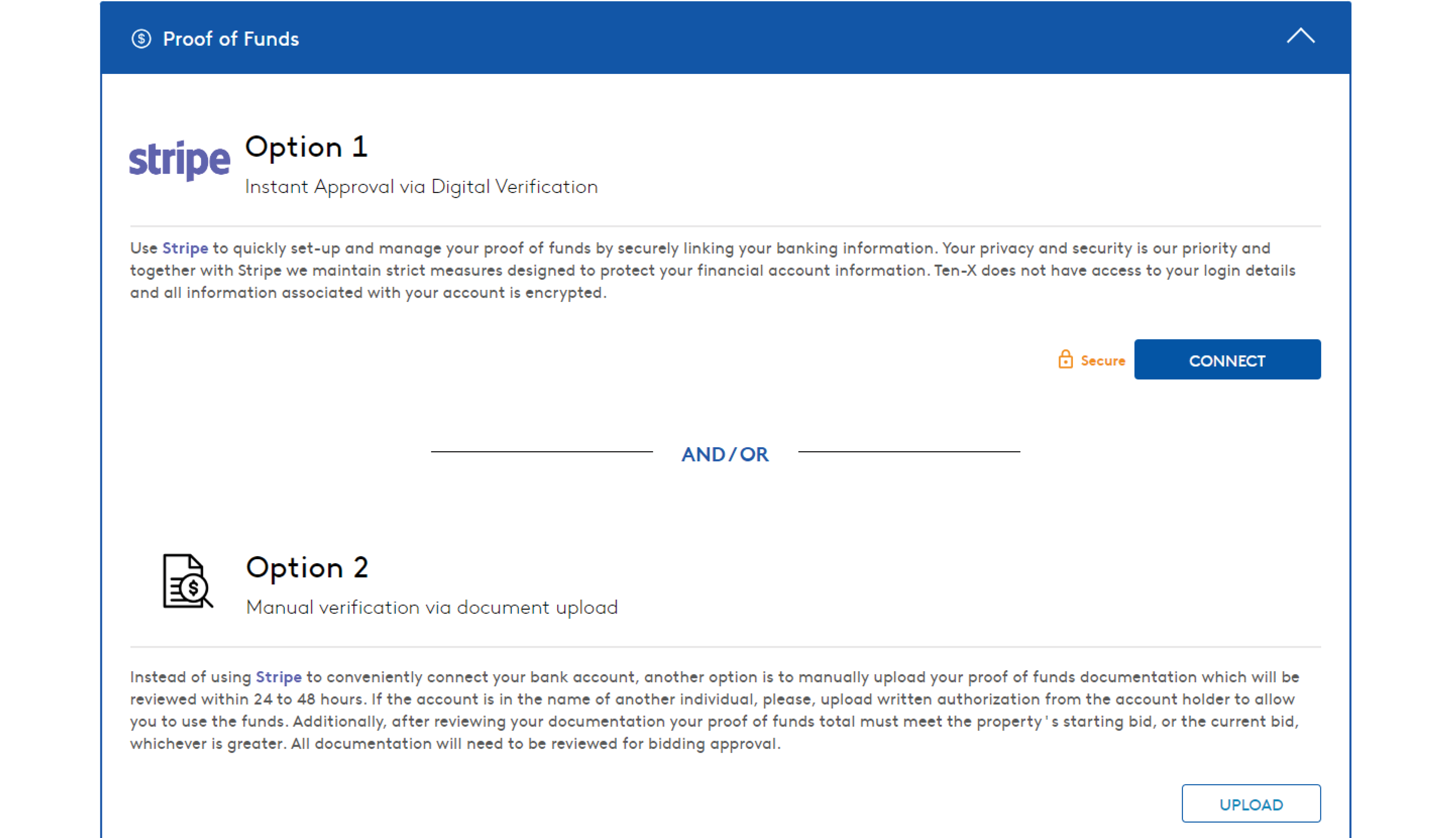
You will be presented with two options—using Stripe to link a bank account or manually uploading proof of funds documentation.
If you don’t wish to use Stripe at this time, you can continue to manually upload proof of funds.
How to Connect a Bank Account with Stripe
It’s simple, fast, and secure to connect an account through Stripe.
1. Click “Connect” in the Proof of Funds section of the Ten-X bidder registration form.
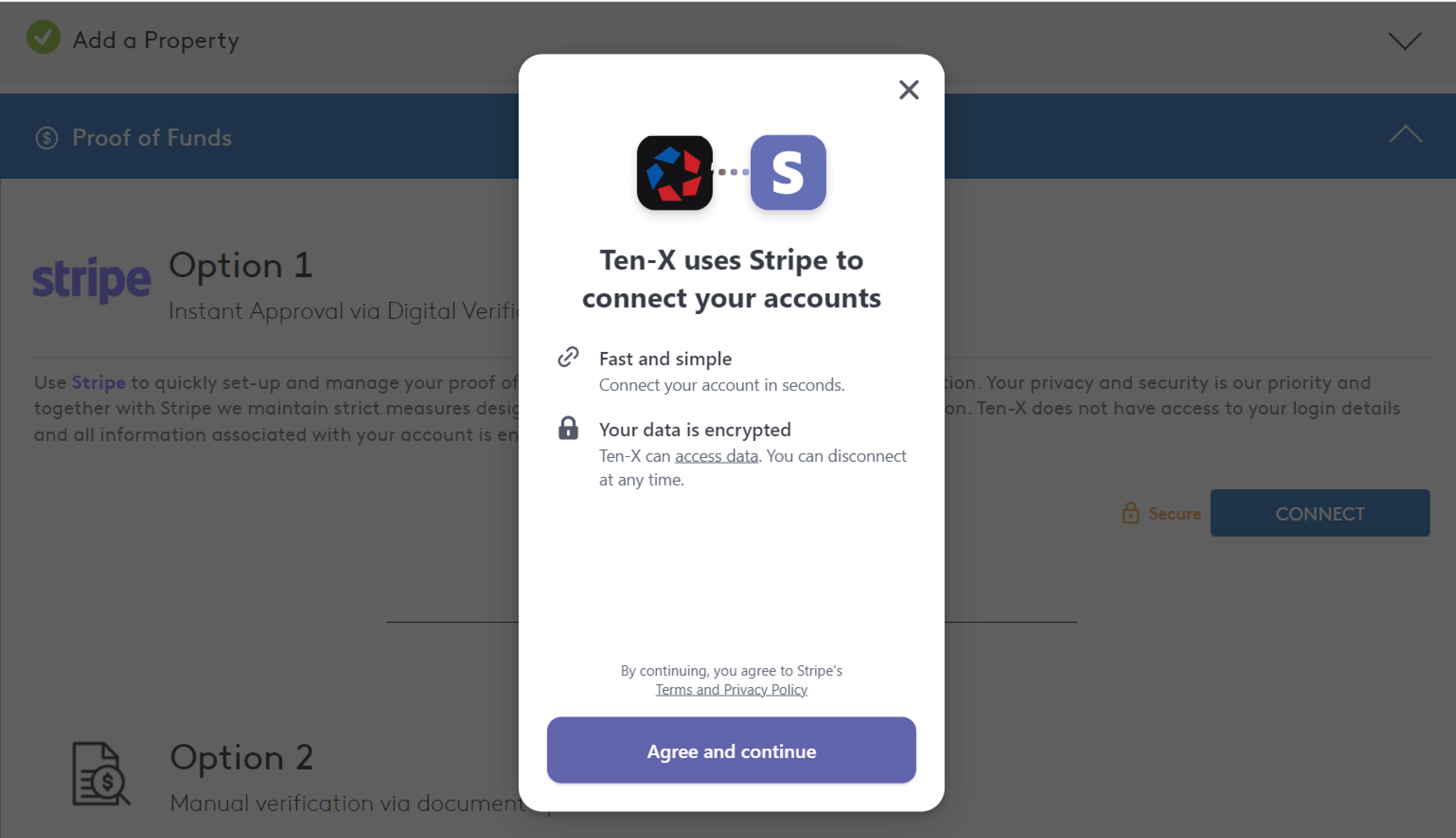
2. After the Stripe pop-up appears, select a banking institution.
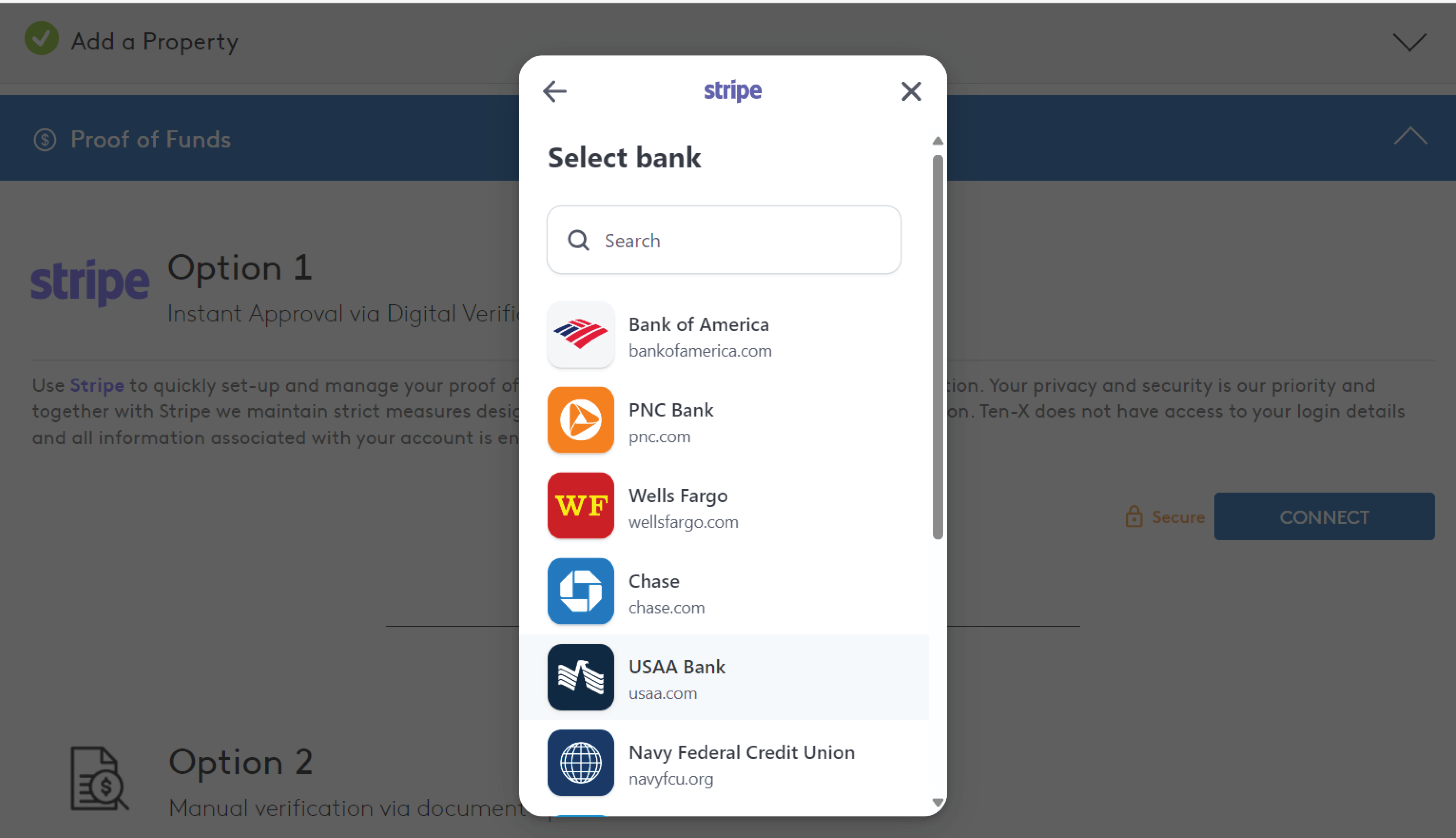
Enter your bank login credentials. This information is not visible to Ten-X and is not stored in our system.
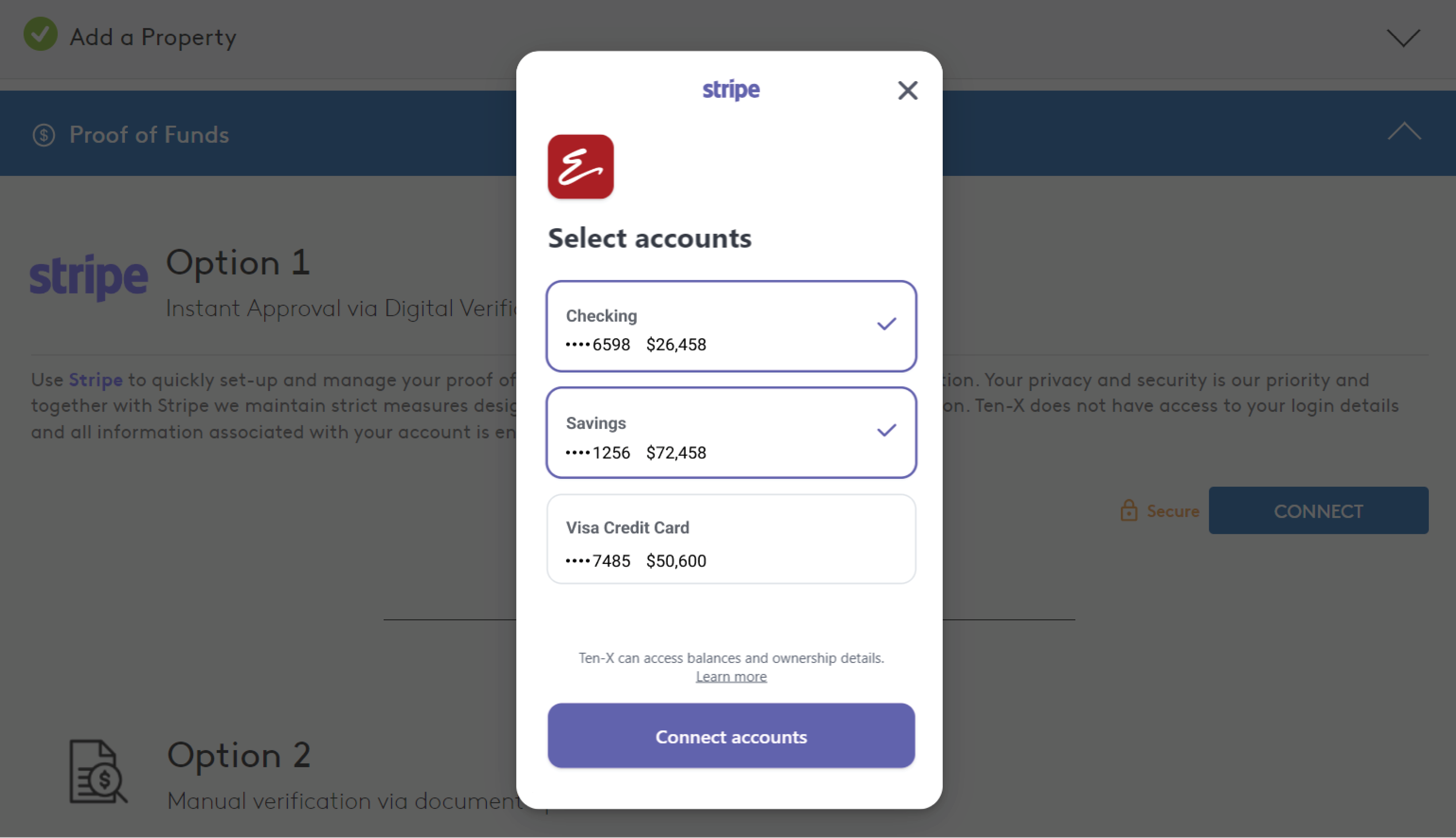
You will see a list of your accounts with the banking institution you selected.
3. Choose the account(s) you would like to connect.
4. Once Stripe has successfully connected your bank account(s), you will see a success message.
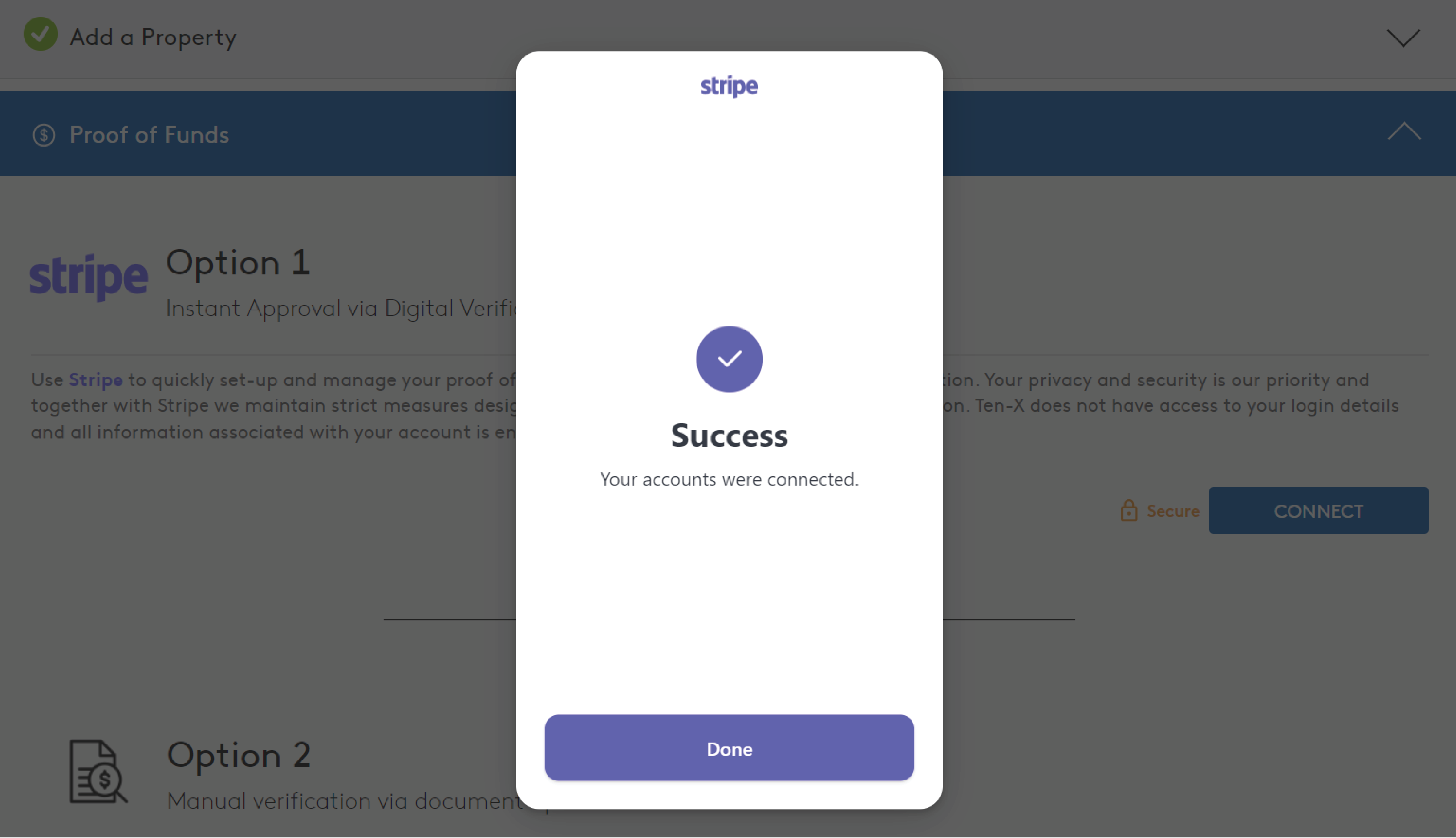
You can click “Done” to close the pop-up.
5. Return to the bidder registration form to see a list of your accounts.
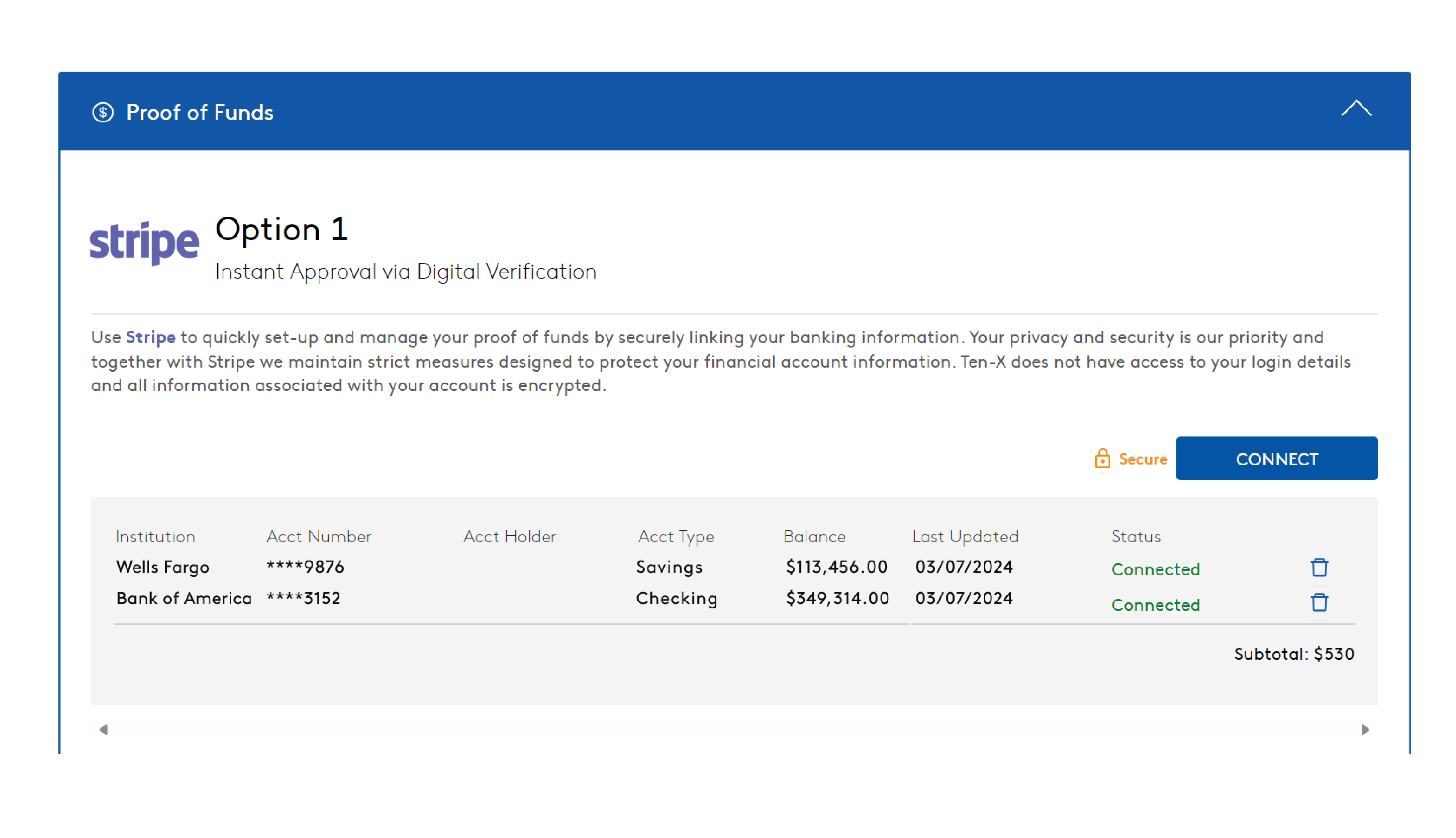
You will also see the balance and connection status.
Questions? Contact Customer Service
If you have additional questions about our partnership with Stripe, give our team a call at (888) 770-7332.